
插件目录 / Developer / dsh-cloudflare-browser-run
dsh-cloudflare-browser-run
未验证 RealAlexandreAI
功能简介
dsh-cloudflare-browser-run — DSH 插件(工具)
未验证 — 尚未实测
dsh-cloudflare-browser-run — DSH 插件(工具) 尚未验证——请自行安装测试。
「未验证」表示我们的自动化 CI 尚未安装过该插件。功能描述与版本兼容性均为作者声明。这不是安全审计,也不代表对第三方代码的背书。
README
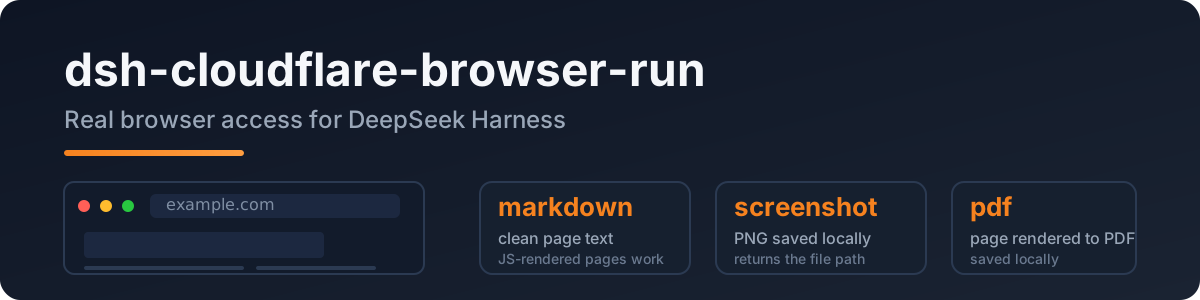
dsh-cloudflare-browser-run
A DeepSeek Harness plugin that gives the agent real browser access: headless Chrome on Cloudflare's network, so JS-rendered pages, screenshots, and PDFs all just work.
Port of pi-cloudflare-browser-run, built to the dsh (Cordis) plugin spec.
Why
The built-in web_fetch is a plain HTTP fetch — JS pages come back empty and SSRF protection is deferred upstream. This plugin adds a real browser:
- clean markdown from any public page (SPA/JS included)
- screenshots (PNG) and PDFs
- login-capable sessions and WebMCP sites
Quick start
dsh plugin --profile web add dsh-cloudflare-browser-run
Configure credentials in your profile/settings layer:
- id: cloudflare-browser-run
  name: dsh-cloudflare-browser-run
  config:
    cf_api_token: <your token>
    cf_account_id: <your account id>
Token: Cloudflare dashboard → API Tokens → Browser Rendering: Edit template.
Account id: dash.cloudflare.com/<ACCOUNT_ID>/....
Tools
| tool | what it does |
|---|---|
browse |
fetch a public URL → clean markdown (default); action = screenshot | pdf |
screenshot |
save the page as PNG locally, returns the file path |
pdf |
save the page as PDF locally, returns the file path |
Config
| key | required | meaning |
|---|---|---|
cf_api_token |
✅ | your API token (Browser Rendering:Edit) |
cf_account_id |
✅ | your Cloudflare account id |
cf_api_base |
– | API base override |
output_dir |
– | where screenshots/PDFs land (default OS temp) |
Privacy
- Public web only: every URL passes an SSRF guard (localhost / private IPs / IPv6 literals / userinfo rejected) before the API is called.
- The token lives only in your config file — never logged, never stored by the plugin.
- Browser Run identifies itself as a well-behaved bot, the compliant way to fetch.
Development
npm install
npm run typecheck
npm test          # SSRF guard / config / API shape
npm run build
Live API test (not part of npm test):
DSH_TEST_CF_TOKEN=<token> DSH_TEST_CF_ACCOUNT=<account> node --import tsx tests/real/real-cf.mjs
License
MIT
安装
装一次目录插件,之后本站所有插件都能让 DeepSeek Harness 自动找、自动装:
dsh plugin add dshbase-catalog然后对 agent 说「帮我装 dsh-cloudflare-browser-run」,它会在目录里找到并自动安装。文档:dshbase-catalog · 已验证场景包。
Web profile:
dsh plugin --profile web add dsh-cloudflare-browser-runHeadless(CLI)profile:
dsh plugin --profile headless add dsh-cloudflare-browser-run包信息
npm:dsh-cloudflare-browser-run · 版本 — · 实测环境 dsh 0.1.0-rc.6
实测报告
尚未 L3 验证——若已跑过,见下方失败备注。
备注:验证: runtime-fail (0.1.0-rc.6) 浏览全部待验证失败 →
使用场景
扩展 agent 的编码能力面——给它一个新工具、工作流或集成,让它接手以前做不了的开发任务。
适合谁
想让 dsh 在真实代码库上像队友一样干活的开发者——能改、能跑、能验证,而不只是回答问题。
二次开发建议
工具/命令面就是缝:暴露更多 SDK 能力、加更聪明的上下文接线,或收紧改代码与验证之间的循环。
分享徽章
把这枚徽章粘进 README——它会链回本页,实测状态变化时自动更新:

[](https://dshbase.com/zh/plugins/dsh-cloudflare-browser-run/)<a href="https://dshbase.com/zh/plugins/dsh-cloudflare-browser-run/"><img src="https://dshbase.com/badges/dsh-cloudflare-browser-run.svg" alt="dshbase 已收录"></a>