
Plugin directory / Vision / dsh-vision-opencode
dsh-vision-opencode
Verified · install-tested on dsh poiuyjie
What it does
DSH plugin: Auto-convert images to text for pure-text LLMs (DeepSeek etc.) via any vision model. No need to switch your main model.
Works — verified, early-stage project
DSH plugin: Auto-convert images to text for pure-text LLMs (DeepSeek etc.) via any vision model. No need to switch your main model. It installs cleanly and boots without issues in our testing. It's early-stage but functional.
“Verified” means our automated CI actually ran dsh plugin add in a clean profile and it booted — nothing more. Feature descriptions and version compatibility are the author’s claims. This is not a security audit and not an endorsement of third-party code.
README
DeepSeek 不认图?OpenCode 多模态平替方案:给纯文本主模型加一个可配置的识图模型。
它能做什么
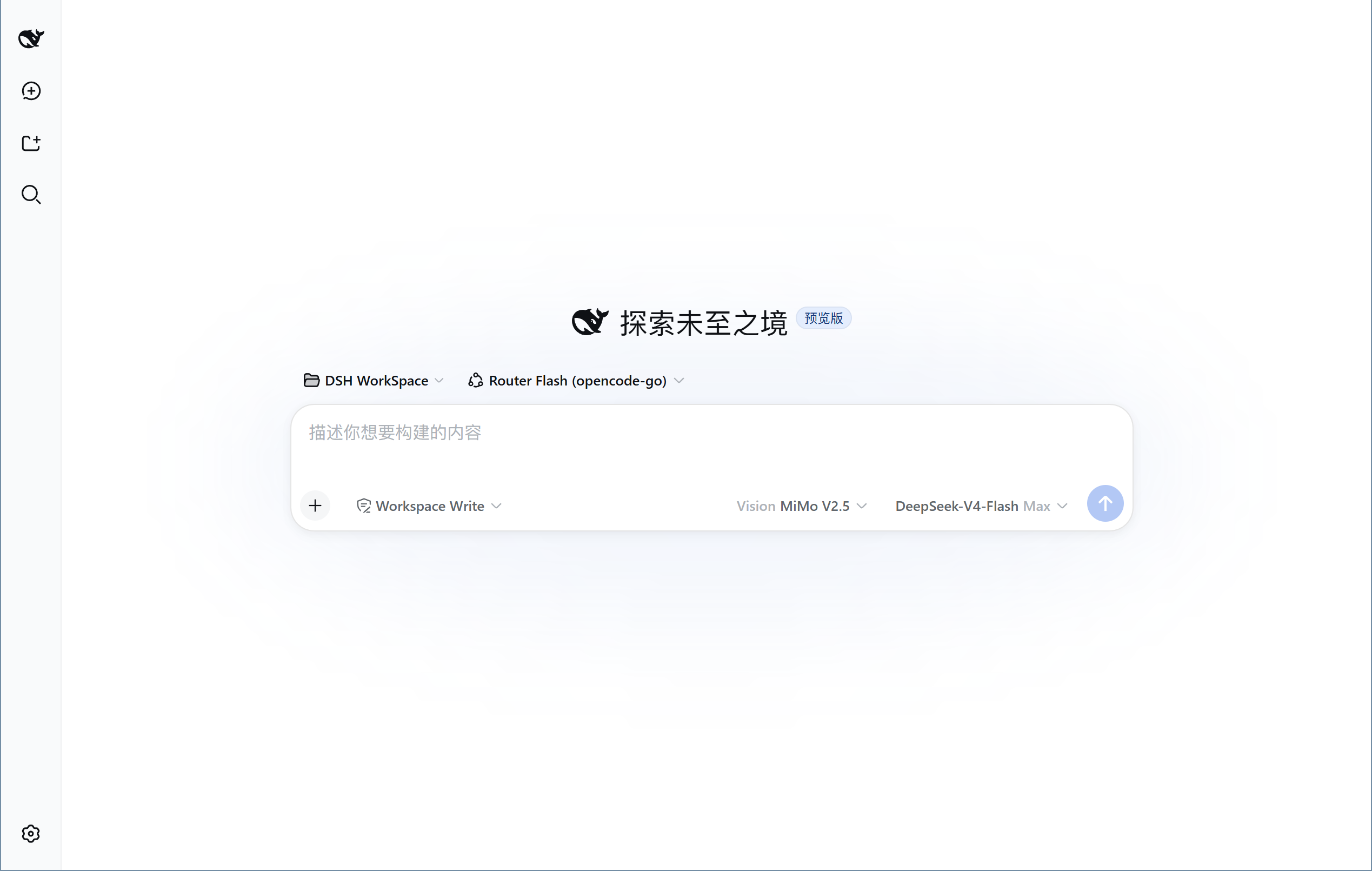
- 聊天里发图 → 先交给视觉模型(如 MiMo-V2.5)转成文字,主模型照常回复,不用换模型
- 输入框右侧「识图模型」下拉,自动列出所有供应商中支持图片的模型
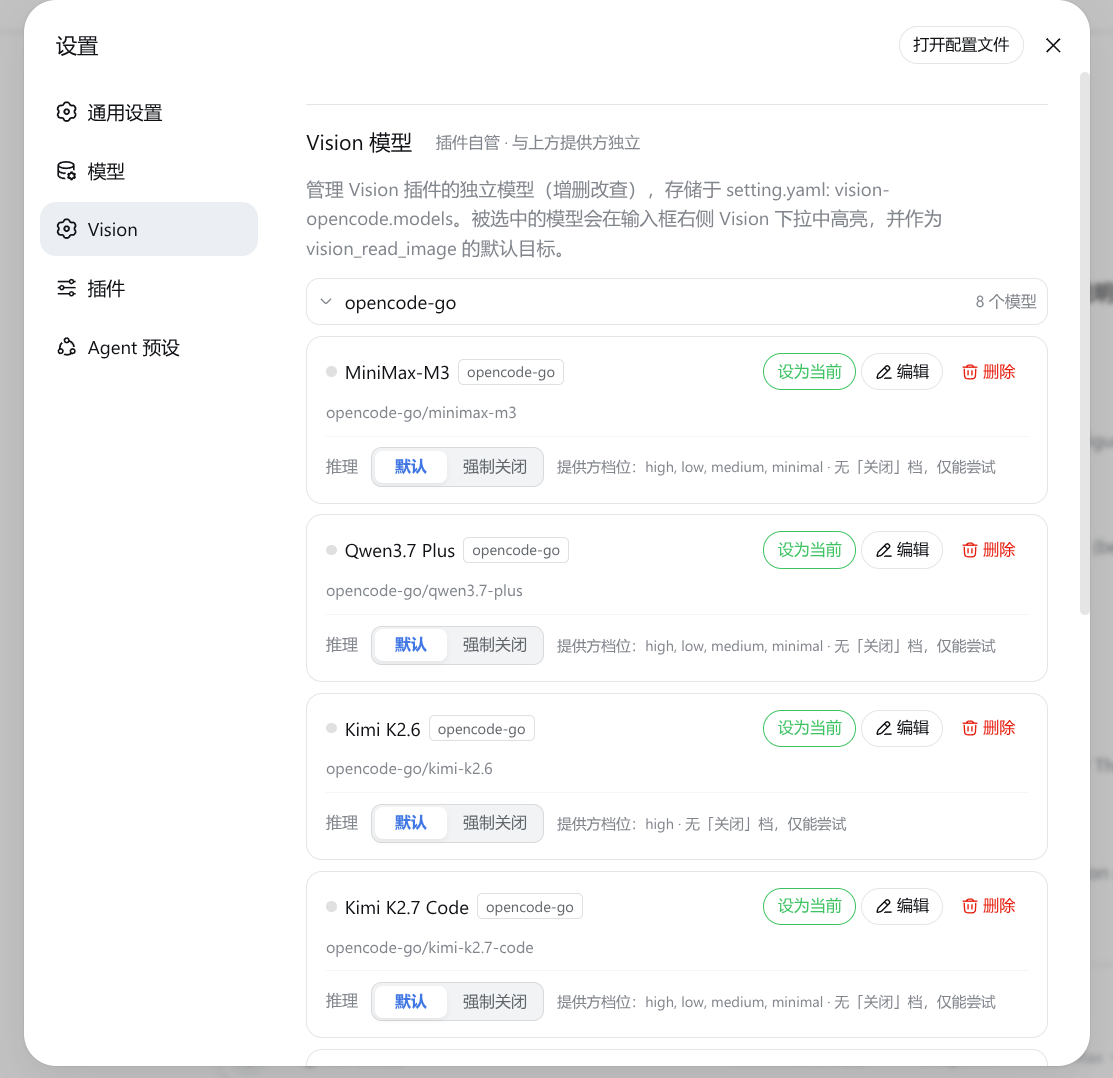
- 设置 → Vision 独立管理模型;
vision_read_image工具 /vision-image-analysisskill 支持 OCR、图表、截图理解 - 异常兜底:单次 60s 超时、失败重试 1 次、重试耗尽降级为占位文本,不拖垮回合
安装
方式一(DSH 原生,推荐):
dsh plugin --profile web add -w github:poiuyjie/dsh-vision-opencode
方式二:一键脚本(Ubuntu install.sh / Windows install.ps1):
curl -fsSL https://raw.githubusercontent.com/poiuyjie/dsh-vision-opencode/main/scripts/install.sh | bash
装完重启 dsh,在输入框右侧选择识图模型。
卸载:dsh plugin --profile web remove -w dsh-vision-opencode(或 uninstall.sh)。
卸载前先备份包含图片的会话——卸载后这些旧会话可能无法再发给纯文本主模型。
配置
编辑 ~/.dsh/settings.yaml(也可用设置 → Vision 图形化管理):
vision-opencode:
  provider: ''       # 识图模型供应商;空 = 未选择
  model: ''          # 识图模型 id;空 = 未选择
  autoConvert: true  # 发图自动转换开关;出问题可改 false 关掉
插件自动识别纯文本主模型并接管图片;原生多模态模型保留 DSH 原生链路,无需改模型目录。
渠道状态圆点
设置 → Vision 的渠道(提供方分组)名称旁有状态圆点,与官方「模型」页同款:
- 🟢 已配置 API 密钥(宿主路由的
apiKeyEnv或插件写入的<PROVIDER>_API_KEY任一可用即绿) - 🔴 明确未配置密钥
- 不显示 = 状态未知(凭据服务不可用等)
识图模型的推理关闭
设置 → Vision 里每个模型有一行「推理」策略:
| 选项 | 含义 |
|---|---|
| 默认 | 跟随供应商默认档位,正常思考 |
| 关闭 | 不思考,更快更省;仅当供应商真实声明 off 时提供(如 hy3 off:"none") |
| 强制关闭 | 尽力关掉思考(如 reasoning_effort:"none"),不保证成功;MiMo 这类未声明 off 的只能选这个 |
有「关闭」档的模型很少,没有时界面显示「默认 / 强制关闭」并标注「不保证成功」。关掉思考一般能明显降低首 token 延迟和花费(MiMo 实测 reasoning_effort:"none" 可真正关掉)。
⚠️ 各供应商对「关闭思考」的声明很混乱(
off:"none"/off:null/ 无字段各不相同),插件只能尽力按厂商目录区分「关闭」与「强制关闭」并试参数,不保证每个供应商都能真正关掉。
常见问题
- 只想关掉自动转换(保留工具和选择器):
vision-opencode.autoConvert: false后重启 - 图片转换异常/选择器不出现:多半是识图模型未选或版本差异,看浏览器控制台报错发 issue
- 纯文本与多模态主模型自动区分,切换供应商无需再改配置
开发规范
- 每次推送必须打 tag:
git push前先创建对应版本的 tag 并推送(如git tag v0.4.0 && git push origin v0.4.0),保证远端每次更新都有可追溯的版本标记。
License
MIT
Install
Install the catalog once, then DeepSeek Harness can find and install any plugin from this site automatically:
dsh plugin add dshbase-catalogThen say "install dsh-vision-opencode for me" — your agent finds it in the directory and installs it. Docs: dshbase-catalog · verified packs.
This plugin is GitHub source (not published to npm) — install it straight from the repo:
Web profile:
dsh plugin --profile web add github:poiuyjie/dsh-vision-opencodeHeadless (CLI) profile:
dsh plugin --profile headless add github:poiuyjie/dsh-vision-opencodeTest report
Verified: L1 install + L2 load + L3 runtime from GitHub source on dsh 0.1.0-rc.6.
When to use it
Give the model eyes — image understanding, OCR, or screen grounding — so it reads visuals instead of guessing.
Who it's for
Users who hand the model screenshots, diagrams, or photos and want them understood natively.
For developers — extending it
Vision backends and preprocessing are the seams — add OCR, region cropping, or tune resolution and model routing.
Share this badge
Drop this badge into your README — it links back here and updates automatically when our test status changes:

[](https://dshbase.com/plugins/dsh-vision-opencode/)<a href="https://dshbase.com/plugins/dsh-vision-opencode/"><img src="https://dshbase.com/badges/dsh-vision-opencode.svg" alt="dshbase install-tested"></a>