
插件目录 / Developer / @sandbaseai/dsh-plugin-store
@sandbaseai/dsh-plugin-store
已验证 · 实测可装 sandbaseai
功能简介
DeepSeek Harness 原生插件市场:Settings 内 Community/Installed 视图、搜索筛选分页,以及受限一键安装。
可用 — 实测通过,早期项目
DeepSeek Harness 原生插件市场:Settings 内 Community/Installed 视图、搜索筛选分页,以及受限一键安装。 实测能干净安装、正常启动。早期项目,但功能可用。
「已验证」表示我们的自动化 CI 在干净 profile 里实际执行了 dsh plugin add 并启动成功——仅此而已。功能描述与版本兼容性均为作者声明。这不是安全审计,也不代表对第三方代码的背书。
README
DSH Plugin Store
A native plugin marketplace for DeepSeek Harness.






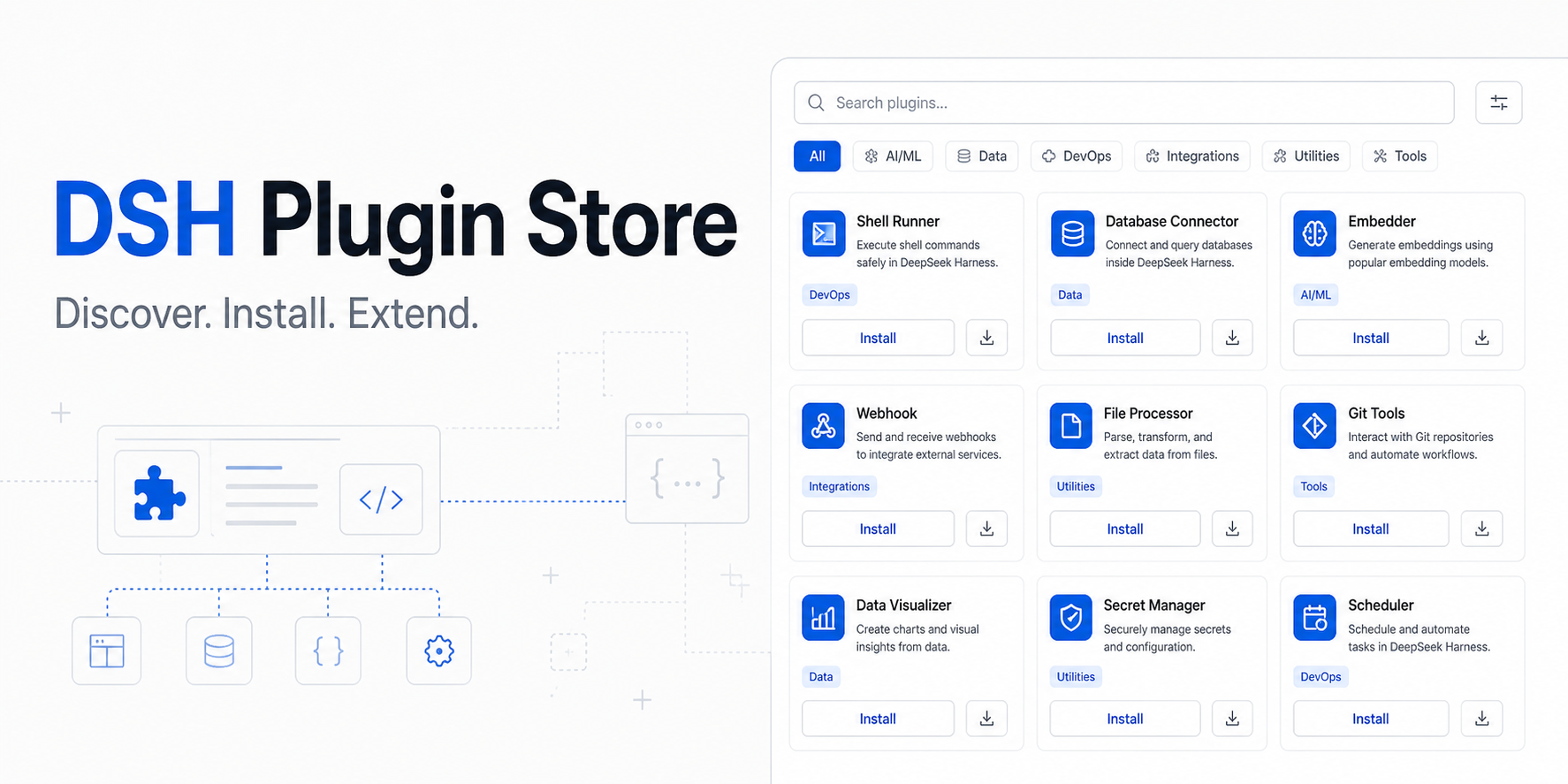
Discover, filter, install, and manage community plugins without leaving DeepSeek Harness.
DSH Plugin Store turns the growing DeepSeek Harness plugin ecosystem into a searchable product experience. It uses live catalog data from DSH Plugin Leaderboard and adds Agent tools for programmatic discovery.
Preview release · Leaderboard listing · Open the catalog · DeepSeek Harness · Report an issue
Try the preview
Install the prebuilt Preview 5 tarball into a public DeepSeek Harness0.1.0-rc.8 Web profile:
curl -fL https://github.com/sandbaseai/dsh-plugin-store/releases/download/v0.1.0-preview.5/sandbaseai-dsh-plugin-store-0.1.0-preview.5.tgz -o /tmp/sandbaseai-dsh-plugin-store-0.1.0-preview.5.tgz
dsh plugin --profile web add -w /tmp/sandbaseai-dsh-plugin-store-0.1.0-preview.5.tgz
The versioned tarball prevents a later change on main from silently changing
the code you install and avoids git dependency build permissions. -w confirms
that the Web profile is the pnpm workspace root. Restart DSH Web, open
Settings, and select Store. This is a preview integration: review the
source before installation.
What it solves
The DSH ecosystem is growing quickly, but finding a plugin still means searching GitHub, checking compatibility, and copying install commands by hand. DSH Plugin Store creates one discovery layer for developers and agents.
- Browse more than 4,000 plugin packages across 3,400 community repositories
- Search by name, repository, description, or category
- Filter with the complete leaderboard tag taxonomy
- Sort by leaderboard rank, GitHub stars, or weekly growth
- Install catalog entries into a local DSH Web profile
- Inspect plugins already loaded by Cordis
- Let agents search the same catalog through native tools
Native Store experience
The current native Settings integration targets the public DeepSeek Harness0.1.0-rc.8 package boundary and is prepared for upstream collaboration. It includes:
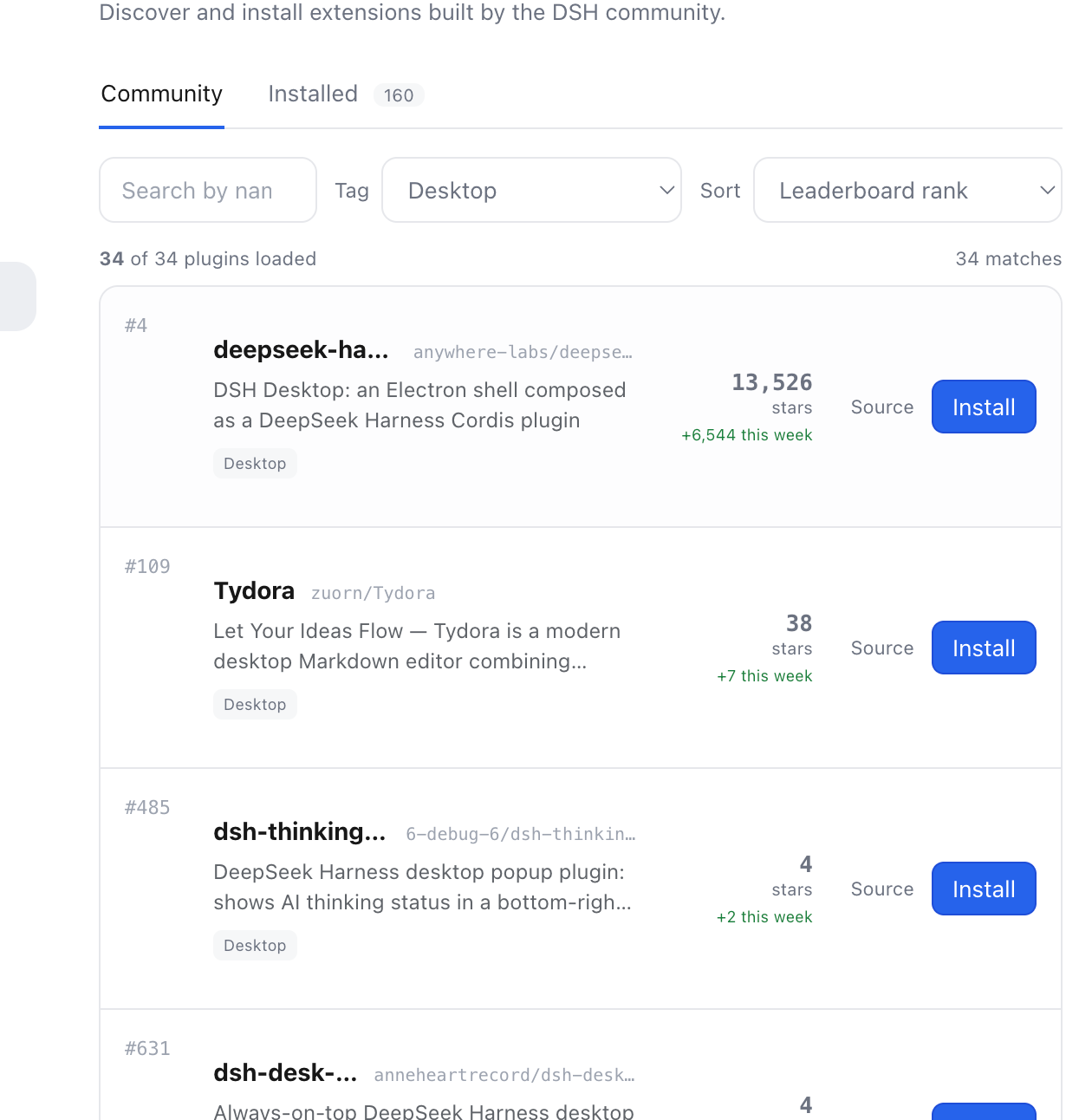
Real preview: the Community view filtered by the Desktop tag.
CommunityandInstalledtabs- Server-side tag filtering and pagination
- Same-origin catalog proxy without browser CORS dependency
- Local profile installation with validation and error feedback
- Live Cordis Loader inventory
- Responsive light and dark UI
The hosted catalog remains available while the native integration is finalized against the public Harness package release.
Agent tools
| Tool | Purpose |
|---|---|
store_search |
Search by name, description, and category. |
store_catalog |
Browse and rank catalog entries. |
store_install |
Return reviewed installation instructions. |
Reproducible development installation
DeepSeek Harness is evolving rapidly. For the current source integration, clone
this repository into a Harness checkout, install the workspace, and build the
host and Web client faces:
cd /path/to/deepseek-harness
git clone https://github.com/sandbaseai/dsh-plugin-store.git packages/plugins/dsh-store
pnpm install
pnpm --filter @sandbaseai/dsh-plugin-store typecheck
pnpm --filter @sandbaseai/dsh-plugin-store bundle
Then enable the bundle in the Web profile:
- insert:
    - id: sandbase-plugin-store
      name: '@sandbaseai/dsh-plugin-store'
      config:
        enabled: true
        catalogUrl: https://dshpluginleaderboard.com/api/catalog
        timeoutMs: 30000
The release tarball installs the committed Host and Web client artifacts.
Preview 5 declares public rc.8 runtime peers, uses the rc.8 insert patch
schema, and installs only Leaderboard runtime-verified npm package specs. Its
package graph, Host entrypoint, composed profile configuration, and Store-button
installation path are verified in an isolated DSH environment. The
source-checkout path above remains the development route for rebuilding
artifacts inside the Harness workspace.
Architecture
flowchart LR
  Catalog[Leaderboard API] --> Host[Store Host plugin]
  Host --> Tools[Agent tools]
  Host --> Proxy[Same-origin catalog proxy]
  Proxy --> UI[Native Store UI]
  Inventory[Cordis plugin inventory] --> UI
  UI --> Profile[Local DSH Web profile]
Security
Installing a plugin may download and execute third-party code, including package lifecycle scripts. Review source repositories before installation. Enterprise deployments should place the catalog behind an organizational review and allowlist process.
The native installer validates GitHub repository identifiers, requires the selected catalog entry to be runtime-verified, resolves its exact npm package spec from the Leaderboard detail API, and rejects URLs, git specs, shell syntax, and unverified entries.
Report security issues through GitHub's
private vulnerability reporting,
not a public issue. See the full security policy for supported
versions, trust boundaries, and disclosure guidance.
Roadmap
- Searchable community catalog
- Agent discovery tools
- Native Community and Installed tabs
- Tag filters, sorting, and pagination
- Local Web profile installer
- Upstream review with DeepSeek Harness
- Stable npm release aligned with public DSH packages
- Update, disable, and uninstall workflows
- Enterprise catalog allowlists and audit events
Help us reach 100 stars
If a native plugin marketplace would make DeepSeek Harness more useful for you, star this repository and share one plugin workflow you want supported.
We are looking for:
- Plugin authors who want better distribution
- Harness users willing to test the native Store
- Enterprise teams with private catalog and audit requirements
Open an issue or join the discussion through the repository.
Related projects
License
MIT
安装
装一次目录插件,之后本站所有插件都能让 DeepSeek Harness 自动找、自动装:
dsh plugin add dshbase-catalog然后对 agent 说「帮我装 @sandbaseai/dsh-plugin-store」,它会在目录里找到并自动安装。文档:dshbase-catalog · 已验证场景包。
该插件是 GitHub 源码(未发 npm)——直接从仓库装:
Web profile:
dsh plugin --profile web add github:sandbaseai/dsh-plugin-storeHeadless(CLI)profile:
dsh plugin --profile headless add github:sandbaseai/dsh-plugin-store实测报告
验证通过:从 GitHub 源码完成 L1 安装 + L2 加载 + L3 运行(dsh 0.1.0-rc.6)。
使用场景
在 Settings 里浏览 4000+ 社区 DSH 插件:搜索、Tag、排序、分页,以及受限的一键安装,不用离开 web UI。
适合谁
想在应用内发现插件、看安装状态,而不是翻 GitHub topic 或敲 CLI 的人。
二次开发建议
目录 API、安装事务和 Settings 视图是缝——收紧 provenance 门禁、回滚,或加更丰富的兼容信号。
分享徽章
把这枚徽章粘进 README——它会链回本页,实测状态变化时自动更新:

[](https://dshbase.com/zh/plugins/sandbaseai-dsh-plugin-store/)<a href="https://dshbase.com/zh/plugins/sandbaseai-dsh-plugin-store/"><img src="https://dshbase.com/badges/sandbaseai-dsh-plugin-store.svg" alt="dshbase 实测可装"></a>