
deepsee
未验证 chang416
功能简介
Vision + smart model routing for DeepSeek Harness. Gemini sees. DeepSeek codes.
未验证 — 尚未实测
Vision + smart model routing for DeepSeek Harness. Gemini sees. DeepSeek codes. 尚未验证——请自行安装测试。
「未验证」表示我们的自动化 CI 尚未安装过该插件。功能描述与版本兼容性均为作者声明。这不是安全审计,也不代表对第三方代码的背书。
README
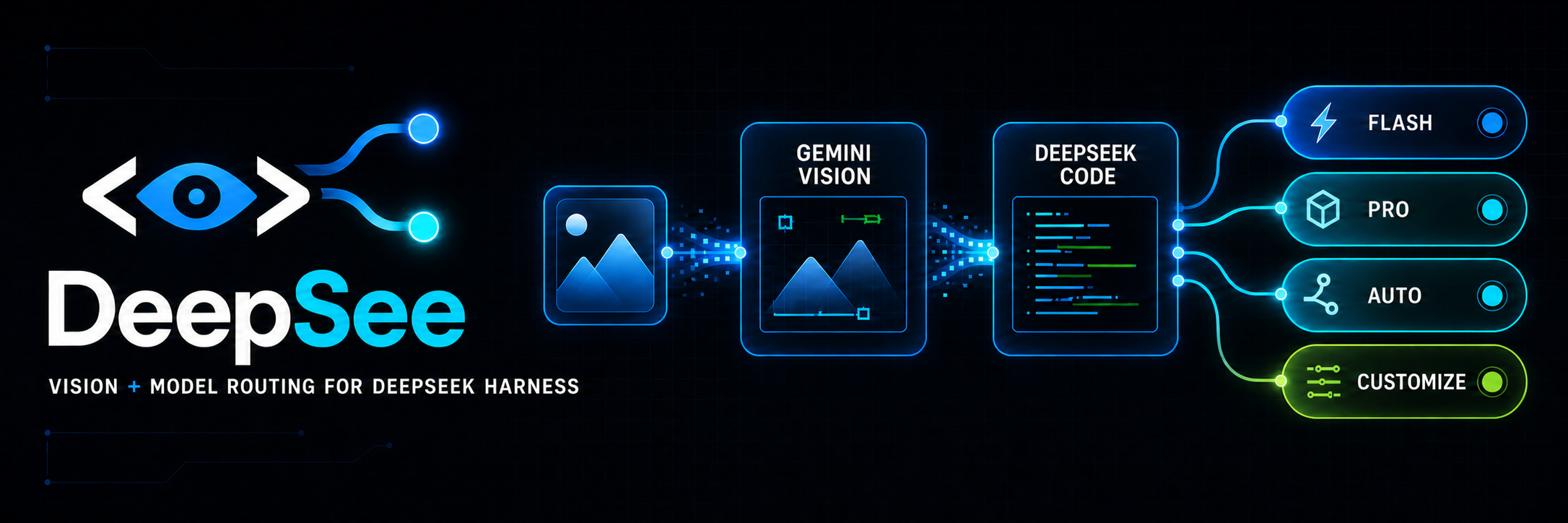
DeepSee
Vision and smart model routing for DeepSeek Harness.
简体中文 · Troubleshooting · Configuration · Output contract · Security


DeepSee turns DeepSeek Harness into a multimodal, multi-model coding workspace. Gemini sees. DeepSeek codes. Choose Flash or Pro directly, or let Auto and Customize split work between them. Paste screenshots into a text-only DeepSeek session, route tasks by cost and difficulty, and visually check the result before delivery.
npx -y @deepseek-ai/dsh plugin --profile web add @chang416/deepsee@latest
Then confirm what landed with dsh plugin --profile web list. pnpm v11 quarantines releases published in the last few days and can install an older version instead while still reporting success; troubleshooting fixes that in one line.
Open DeepSee Settings to add free Gemini keys (one per line), choose a default preview URL, and customize which work belongs to Flash or Pro.
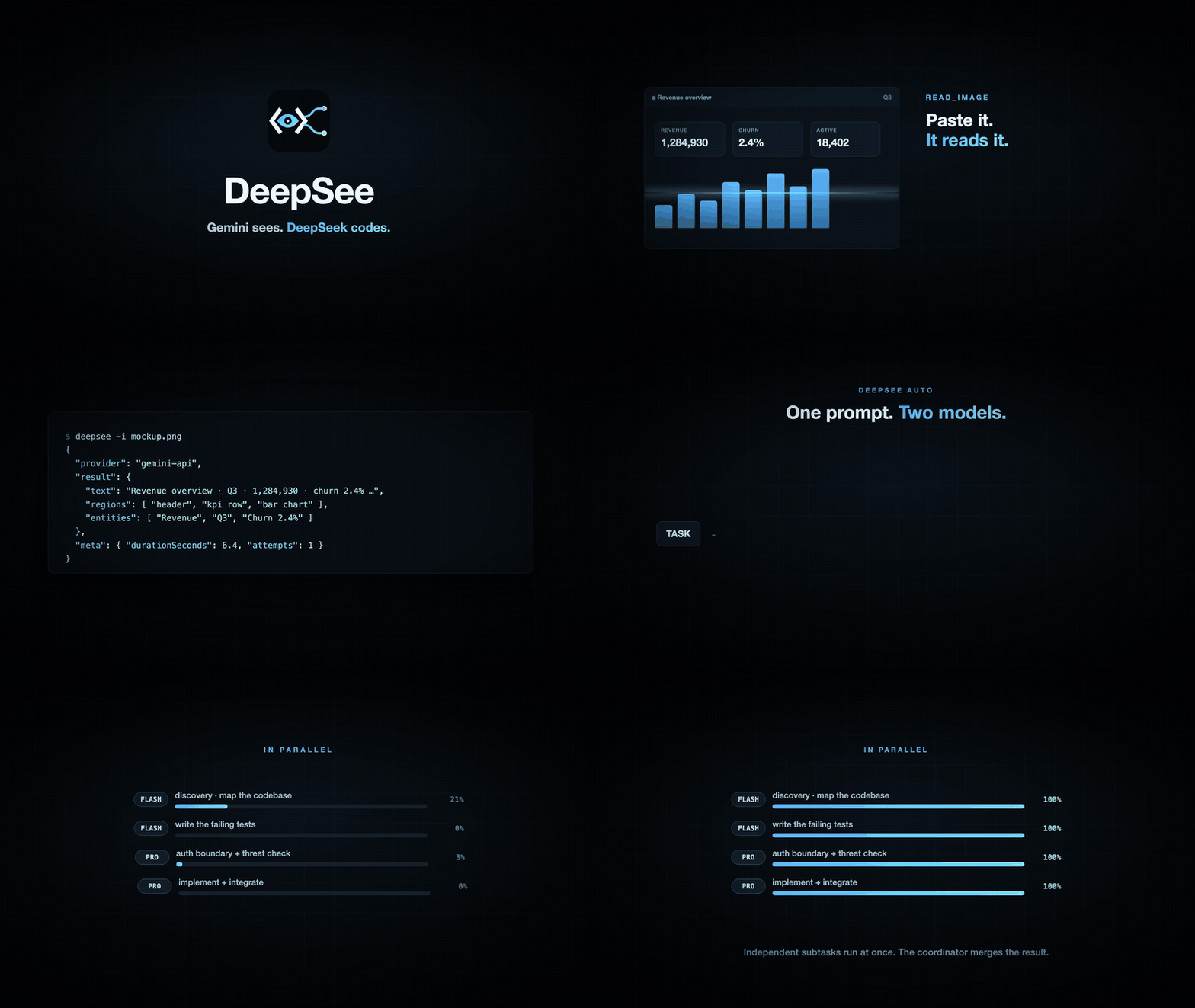
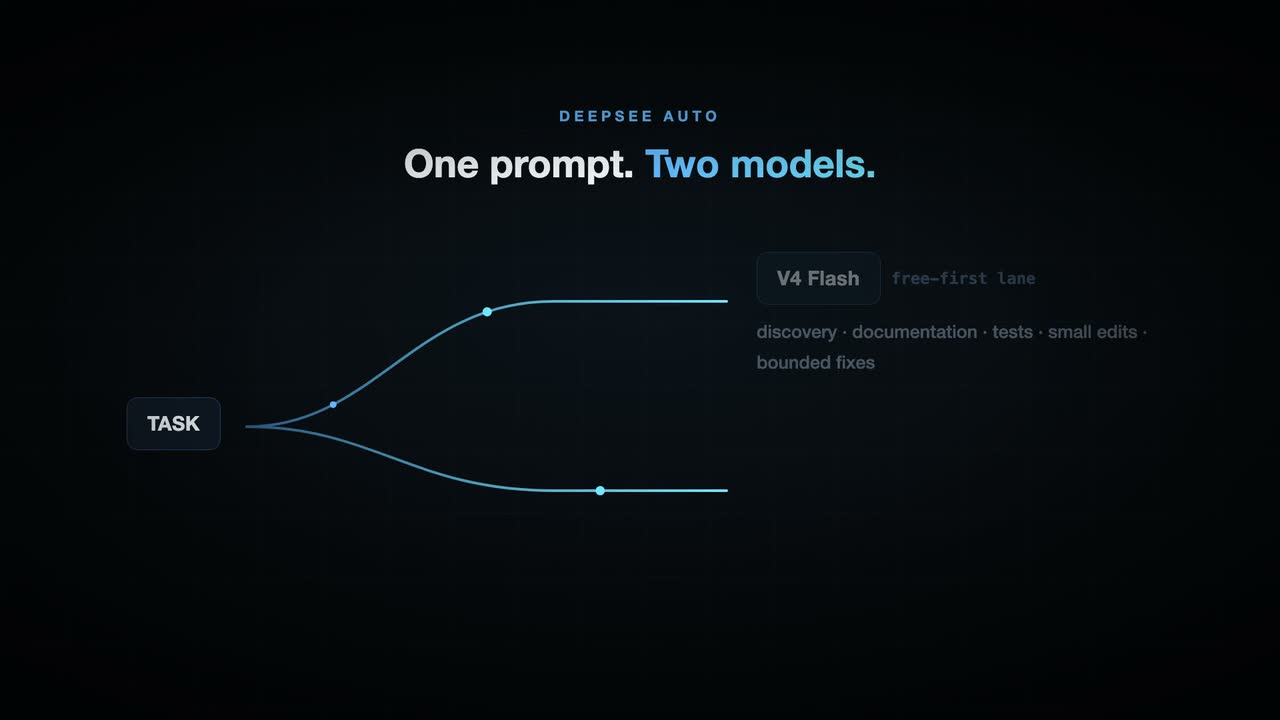
Watch the 30-second product film
Highlights
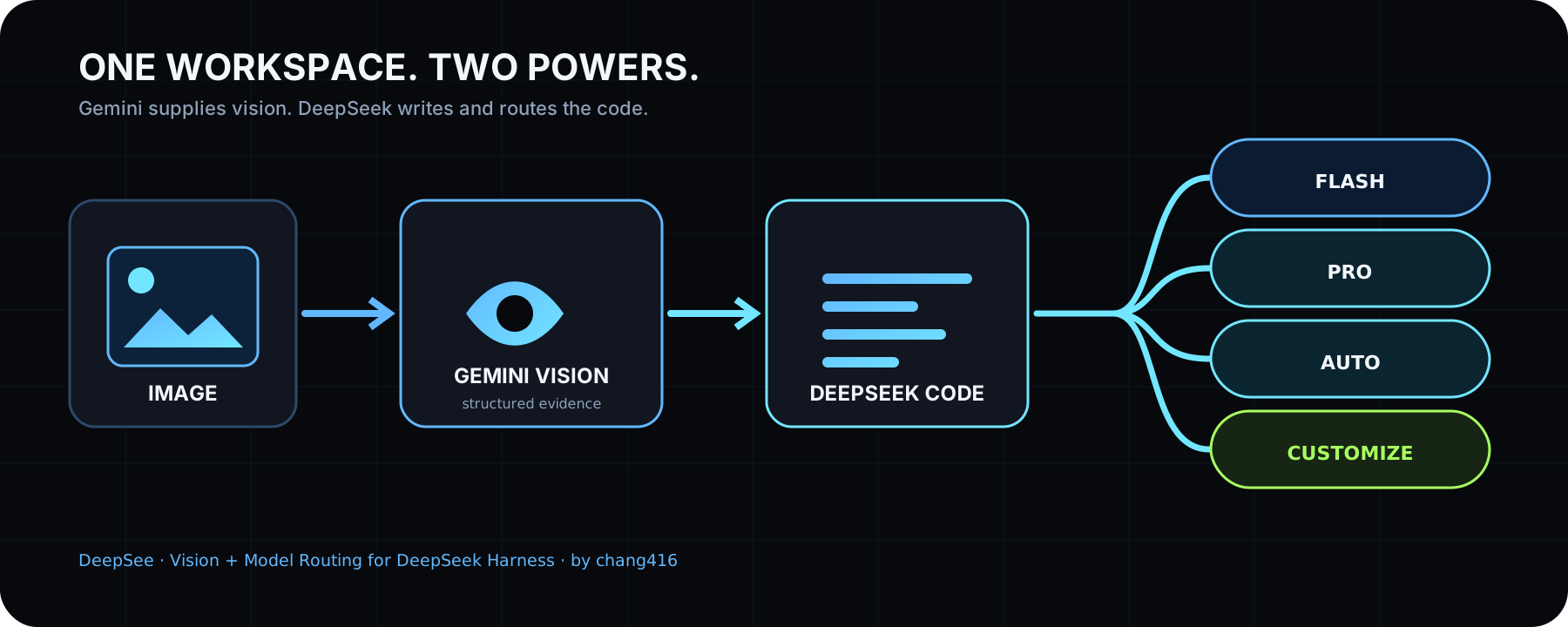
DeepSee is both sight and a DeepSeek-native team. The model selector keeps direct V4 Flash and V4 Pro choices and adds two orchestration modes:
- DeepSee Auto ships with a free-first routing policy. Flash takes discovery, documentation, tests, small edits, and bounded bug fixes; Pro takes architecture, security, risky refactors, integration, and final review. Independent subtasks run in parallel and the coordinator merges the result.
- DeepSee Customize lets each user choose Flash or Pro for every work category. Selecting it for the first time opens DeepSee Settings inside the Harness interface, where the routing map can be changed without editing JSON.
- It looks before it delivers. For UI work, DeepSeek can start the local preview and call Gemini at meaningful milestones and again before delivery. Gemini returns a strict
PASSor a screen location plus the defect to fix; DeepSeek iterates within a configurable free-quota limit instead of asking the user to discover visual mistakes afterward. - DeepSeek writes the code. Gemini is used only as the visual reader. The coding lanes stay on DeepSeek V4 through whichever live route the user already has: the official provider, OpenCode's
deepseek-v4-flash-free, or OpenCode Go'sdeepseek-v4-flashanddeepseek-v4-pro. - Multiple free Gemini keys. Paste one key per line. DeepSee deduplicates them and automatically advances to the next key on authentication, quota, or rate-limit exhaustion; saved keys are write-only in the interface and never returned to the browser.
One install adds the native read_image bridge, DeepSee Auto and Customize, multi-key Gemini rotation, OpenCode/OpenCode Go-aware DeepSeek routing, and the deepsee_visual_check delivery gate. If dsh warns declares no dsh.bundle, see troubleshooting.
Pasting an image works two ways. ① Just paste. On a text-only model the pasted image lands as a private temp file and its path enters the composer — the same interaction OpenCode and Pi ship — and the read_image tool takes it from there. ② Pick a (deepsee vision) entry in the model selector (it remembers your choice, so once is enough), then paste: the thumbnail stays visible in your message, closer to the Codex app feel, and the image is converted to structured evidence at request time, answered by the same underlying route. The plugin auto-discovers every provider route carrying text-only DeepSeek or GLM models and adds a wrapped entry per route (a stock install gets DeepSeek-V4-Flash (deepsee vision) and DeepSeek-V4-Pro (deepsee vision); extra routes like opencode-go or zai get their own); the two families' own vision models are excluded automatically. Which paste route applies is the host's per-model call: only a model its metadata positively confirms text-only is taken over, anything unconfirmed is left alone, so vision models keep their native paste (details).
Paste an image and DeepSeek can use it. No model swap and no manual transcription.
- Native and removable. DeepSee is one dsh plugin or one skill folder, with no local proxy daemon. Remove it and the host returns to its original behavior.
- Zero-config start. Reuses what Claude Code, Codex, OpenCode, or Pi already have set up: the multimodal models on your machine go straight to work. Nothing at all? Antigravity CLI is a free no-key channel, and a free Gemini key brings a read down to 5-10 seconds.
- Evidence, not imagination. Full transcription, reading-order layout regions, entity and relation lists. The model quotes specifics.
- Install once, use everywhere. Verified on real machines in Claude Code, Codex, Pi, and OpenCode.
Installation
Step 1, hand it to your AI. Send it this line:
Install and configure the deepsee skill following https://github.com/chang416/deepsee/blob/main/INSTALL.md, then run the health check and tell me the result.
The install starts by checking what your machine already has. An existing login in Claude Code, Codex, OpenCode, or Pi can be enough: deepsee asks before reusing any of them, and the health check tells you where things stand.
Step 2, only if the health check comes back empty, set up a free engine. The recommended choice is a free Gemini API key (about three minutes at Google AI Studio, no credit card), which also makes every read 5-10 seconds. A free OpenAI-compatible key from another platform works too. To avoid any sign-up, install Antigravity CLI instead, then sign in:
curl -fsSL https://antigravity.google/cli/install.sh | bash
agy                                                           # sign in, then exit
The install also inventories vision reachable through your other local harness CLIs (Codex, OpenCode, Pi) and asks, per harness, whether deepsee may reuse it. Granted logins join the engine pool as equals, and every reused read is labeled with whose quota it spent.
Usage
Once installed, just chat. Paste an image or drop a path, ask anything, and the skill triggers on its own: the image goes to a vision engine and the answer comes back grounded in what it read.
Vision engines: five built-in providers, four reusable CLIs, one failover chain
DeepSee does not depend on any single vision service. Nine sources of vision in total: five built-in providers, any one of which is enough, plus four local agent CLIs whose logins can be reused. The built-ins:
| Provider | What it needs | Speed per read | Good for |
|---|---|---|---|
gemini-api |
a free Gemini API key (3 minutes, no card) | 5-10s | the recommended default |
openai |
any OpenAI-compatible endpoint (key + baseUrl + model) | 5-10s | qwen-vl, GLM, self-hosted gateways |
anthropic |
an Anthropic API key | 5-10s | machines already holding one |
antigravity-cli |
the free agy CLI, one browser sign-in, no key |
15-45s | zero-signup starts |
claude-cli |
a signed-in Claude Code | 20-45s | riding your existing Claude subscription |
Without a pinned provider, every configured engine forms one failover chain: the fast API providers try first, the agent CLIs back them up, the first good result wins, and meta.attempts records every attempt so a fallback is never silent.
openai is a universal socket, not just OpenAI
Any endpoint speaking the OpenAI chat-completions protocol with image input plugs straight in — that covers most of the vision-model world:
deepsee config set openai.baseUrl https://dashscope.aliyuncs.com/compatible-mode/v1   # qwen-vl
deepsee config set openai.apiKey  <key>
deepsee config set openai.model   qwen3-vl-plus
The same three keys work for GLM's open platform, SiliconFlow, OpenRouter, a self-hosted vLLM/Ollama, or any gateway of your own. If your favorite vision model has an OpenAI-compatible API, DeepSee can drive it.
Reusing what your machine already has
Two more sources of vision need zero new keys, each behind one explicit consent recorded in config:
- The harness you are talking in right now. Running inside Claude Code with a subscription signed in?
claude-clireads images through it out of the box. The install flow asks the same question for whichever harness you install into. - Every other agent CLI on the machine.
deepsee doctordiscovers them, you grant per harness, and they join the same failover chain with no priority over your own keys. Every reused read is labeled inmeta.warningswith whose quota it spent, so nothing is ever silently billed:
| Reused CLI | What it needs | Grant with | Rides as |
|---|---|---|---|
| Codex | a signed-in Codex CLI with a vision model | config set reuse.codex true |
agent lane, 15-45s |
| OpenCode | a vision model configured in OpenCode | config set reuse.opencode true |
agent lane, 15-45s |
| Pi | model credentials held by Pi | config set reuse.pi true |
an API key upgrades to the 5-10s inline lane, OAuth drives Pi itself |
| Grok | a signed-in Grok CLI (SuperGrok) | config set reuse.grok true |
agent lane, 15-45s |
Picking and routing
Two knobs: deepsee config set provider <name> states a preference (the chain still backs it up), -p <name> pins exactly one with no fallback. Machines behind a proxy set HTTPS_PROXY or deepsee config set proxy <url> and the API providers route through it. Details: the CLI manual for defaults and flags, Configuration for every key, and Security for who fetches what on remote URLs.
Documentation
| Doc | Read it when |
|---|---|
| Install guide | Installing the skill step by step (written for an agent) |
| CLI manual | The CLI the skill drives: flags, config, doctor |
| Troubleshooting | A command failed and the message needs decoding |
| Configuration | Setting a key, switching providers, fixing config |
| Output contract | Parsing the JSON or building on it |
| Harness setup | Wiring it into Codex, Claude Code, Pi, or OpenCode |
| Security | File permissions, image content as untrusted input |
| CHANGELOG | Finding what changed in a version |
Contributing
Focused pull requests are welcome. Keep each PR scoped, explain the user-visible behavior, add or update tests, and run pnpm lint, pnpm typecheck, pnpm test, and pnpm build before opening it.
- Open an issue. Bugs, suggestions, confusing errors, and unclear docs all help.
- Read CONTRIBUTING.md. Security reports follow SECURITY.md, not public issues.
Disclaimer
Provided as-is under the MIT License below. The author makes no warranty and gives no endorsement for any particular use, commercial use included. Your use of upstream engines (Antigravity CLI, the Gemini, OpenAI, and Anthropic APIs, and any OpenAI-compatible endpoint) is governed by their own terms and quotas, which you are responsible for.
Acknowledgements
DeepSee is designed, developed, and maintained by chang416. Early exploration referenced a small amount of the MIT-licensed ModLens project; its required copyright notice remains in LICENSE. DeepSee's product architecture, Auto/Customize orchestration, settings experience, Gemini key rotation, OpenCode-aware routing, and visual self-check loop are developed for DeepSee.
License
MIT
安装
装一次目录插件,之后本站所有插件都能让 DeepSeek Harness 自动找、自动装:
dsh plugin add dshbase-catalog然后对 agent 说「帮我装 deepsee」,它会在目录里找到并自动安装。文档:dshbase-catalog · 已验证场景包。
该插件是 GitHub 源码(未发 npm)——直接从仓库装:
Web profile:
dsh plugin --profile web add github:chang416/deepseeHeadless(CLI)profile:
dsh plugin --profile headless add github:chang416/deepsee实测报告
尚未 L3 验证——若已跑过,见下方失败备注。
分享徽章
把这枚徽章粘进 README——它会链回本页,实测状态变化时自动更新:

[](https://dshbase.com/zh/plugins/deepsee/)<a href="https://dshbase.com/zh/plugins/deepsee/"><img src="https://dshbase.com/badges/deepsee.svg" alt="dshbase 已收录"></a>