
Plugin directory / Developer / dsh-alive
dsh-alive
Unverified AikenFra
What it does
A plugin in the Developer category for DeepSeek Harness.
Unverified — not yet verified
A plugin in the Developer category for DeepSeek Harness. Not yet verified — install and test it yourself.
“Unverified” means our automated CI has not yet installed this plugin. Feature descriptions and version compatibility are the author’s claims. This is not a security audit and not an endorsement of third-party code.
README
dsh-alive · 零 token 在线状态指示器




A zero-token online status indicator for the DeepSeek Harness (dsh) web UI.
为 DeepSeek Harness (dsh) Web 界面提供零 token 消耗的在线状态指示器。
在会话窗口右上角常驻显示 ● 在线 / ● 离线 状态点,每 15 秒自动检测一次。完全不调用 LLM,零 token 消耗——只是浏览器对本地服务做一次进程内的 HTTP 心跳。
An always-visible ● Online / ● Offline indicator in the conversation header, auto-refreshed every 15 seconds. It costs zero tokens — the browser simply polls a process-local HTTP endpoint.
功能 / Features
- ✅ 会话头部右上角常驻状态点(绿色 = 在线,红色 = 离线,黄色 = 检测中)
- ✅ 每 15 秒自动检测,无需手动刷新
- ✅ 零 token 消耗:纯进程内 ping,不调用任何 LLM
- ✅ 开箱即用,无需任何配置
- ✅ 服务挂了立刻变红点,恢复后自动变回绿点
截图 / Screenshots
● 在线(绿色)| ● 离线(红色) — 会话窗口右上角常驻显示:
| 在线 / Online | 离线 / Offline |
|---|---|
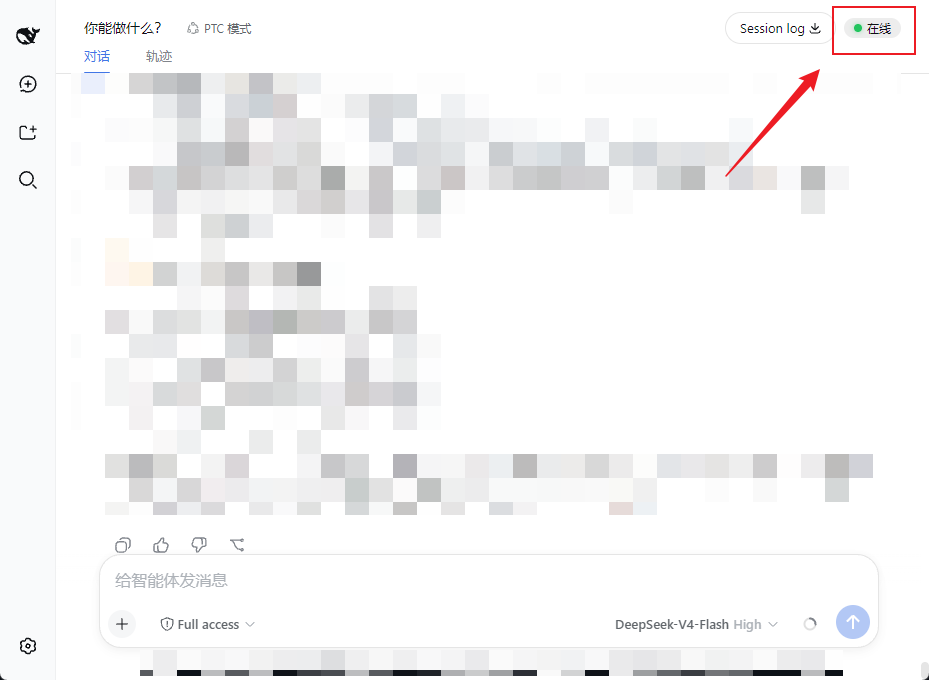 |
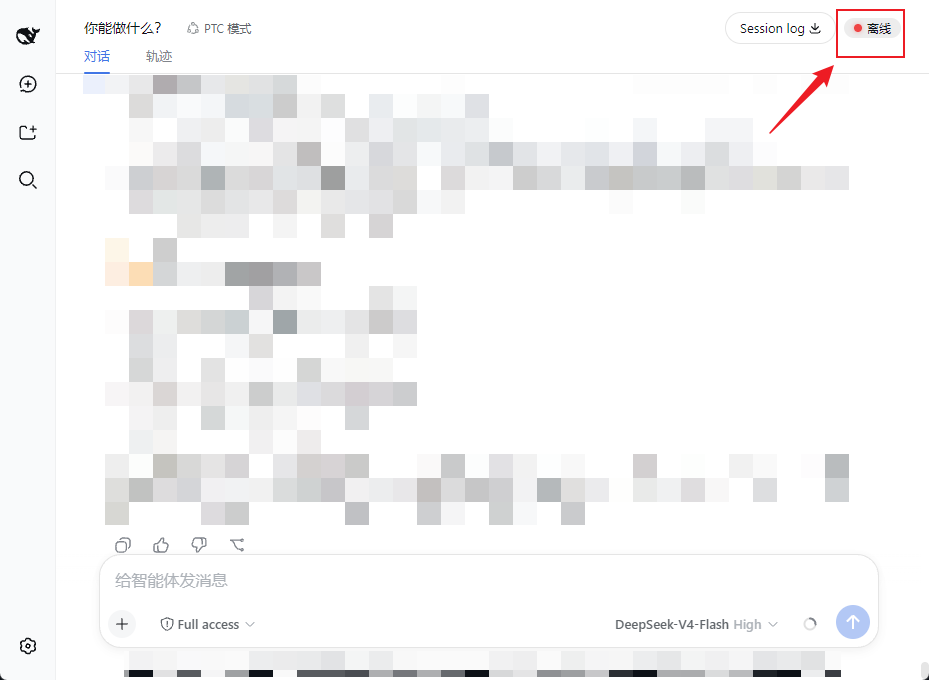 |
工作原理 / How it works
浏览器页面 --(每 15s fetch)--> GET /dsh-alive/ping --> dsh 服务进程(直接应答)
                              | 零 LLM 调用,零 token
- 后端:注册一个进程内 HTTP 端点
GET /dsh-alive/ping,立即返回{"ok":true},不经过任何模型。 - 前端:通过 dsh 的 slot 系统注入一个小组件到
conversation.session.header.utilities,用setInterval每 15 秒轮询一次 ping 端点,根据响应更新状态点。
安装 / Install
需要已安装 DeepSeek Harness(
dsh)。适用于webprofile。
# 装进 web profile(npm 发布后)
dsh plugin --profile web add dsh-alive

# 重启服务
dsh web
重启后打开页面,按 Ctrl+F5 强制刷新,右上角即可看到状态点。
本地/手动安装(未发布时)
把本仓库放到 ~/.dsh/profiles/web/dsh-alive,然后:
- 在
~/.dsh/profiles/web/package.json的dependencies加"dsh-alive": "file:./dsh-alive" - 在
dsh.profile.bundles列表追加"dsh-alive" - 重启
dsh web并硬刷新页面
卸载 / Uninstall
dsh plugin --profile web remove dsh-alive
dsh web
兼容性 / Compatibility
- 测试于
dsh 0.1.0-rc.6(webprofile) - 依赖 dsh 的 slot 系统(
conversation.session.header.utilities)与webServer服务注入,要求 dsh web 客户端框架版本匹配
开发 / Development
dsh-alive/
├── package.json        # 插件清单(dsh.bundle / dsh.client)
├── cordis.patch.yml    # bundle 挂载声明
├── dsh/
│   └── index.js        # 后端:/dsh-alive/ping 进程内端点
└── client/
    └── client.js       # 前端:状态点组件 + 15s 轮询
License
Install
Install the catalog once, then DeepSeek Harness can find and install any plugin from this site automatically:
dsh plugin add dshbase-catalogThen say "install dsh-alive for me" — your agent finds it in the directory and installs it. Docs: dshbase-catalog · verified packs.
This plugin is GitHub source (not published to npm) — install it straight from the repo:
Web profile:
dsh plugin --profile web add github:AikenFra/dsh-aliveHeadless (CLI) profile:
dsh plugin --profile headless add github:AikenFra/dsh-aliveTest report
Not yet L3-verified — see failure note below if we already ran it.
Share this badge
Drop this badge into your README — it links back here and updates automatically when our test status changes:

[](https://dshbase.com/plugins/dsh-alive/)<a href="https://dshbase.com/plugins/dsh-alive/"><img src="https://dshbase.com/badges/dsh-alive.svg" alt="dshbase listed"></a>